

Renters' Rights Act 2026: Key updates to Gnomen PMS
The Renters' Rights Act is now in force, bringing significant changes to how tenancies are created, managed, and ended. To help you stay compliant, we've made several updates to Gnomen PMS.
This article walks you through:
- Sending the mandatory Government information sheet to active tenants
- Our new compliance warning for offers above the marketed price
- Tenancy term defaulting to Periodic (rolling tenancies)
- New and updated templates in the Master Library, including periodic agreements and Section 8 / Section 13 notices
Let's get started.
Sending the Government-issued information sheet to all active tenants
The Renters’ Rights Act now requires agents to send the official UK Government information sheet to all active tenants. Gnomen PMS makes this easy with a bulk email tool that logs every send for your compliance records.
Step-by-step guide
Step 1 (one-time setup) – Add the official template to your library
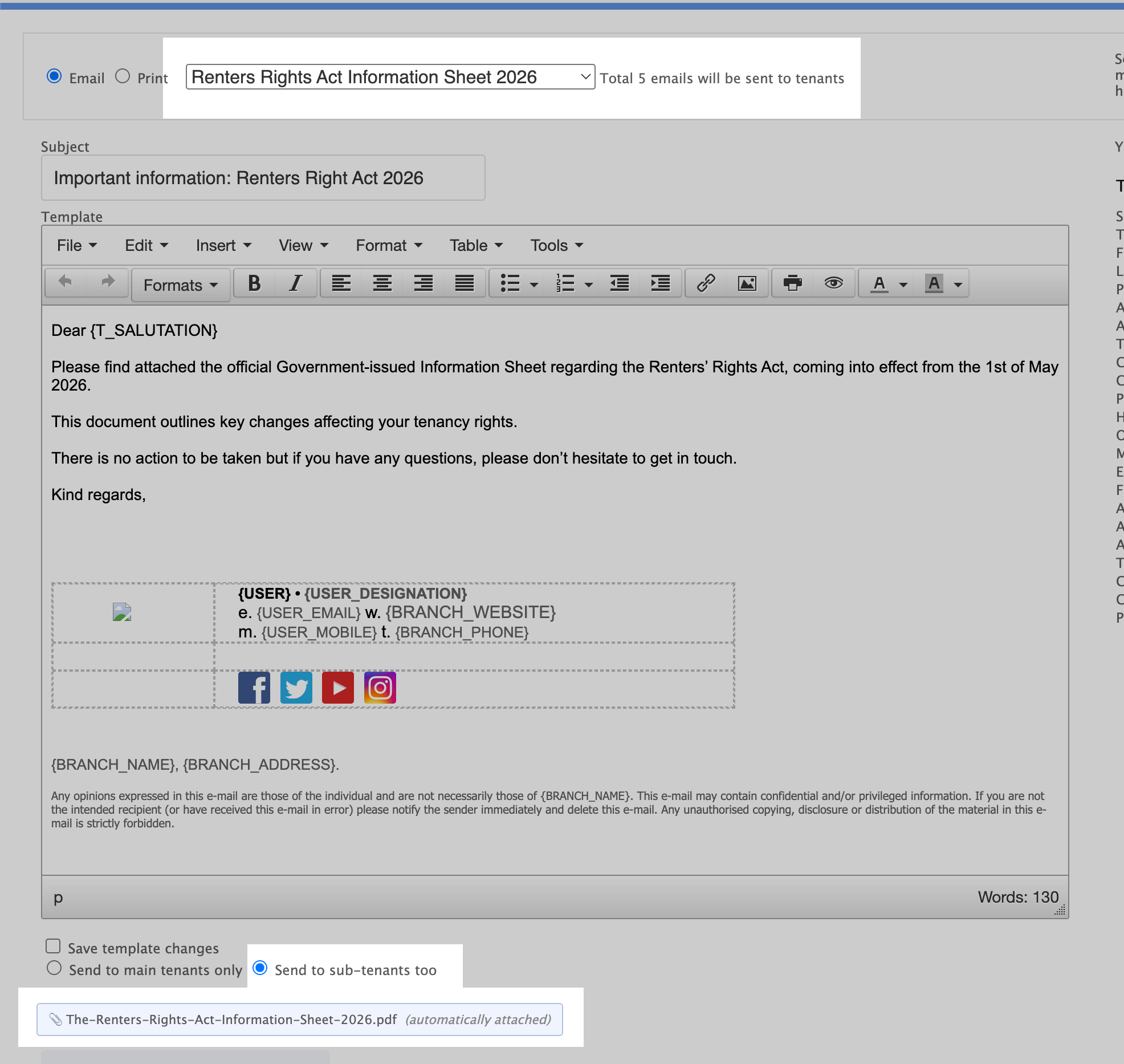
Go to Control Panel → Templates → Add templates from master Library and locate the template called: Renters rights act information sheet 2026 → Add to library
This template is pre-loaded with the official Government PDF as an attachment. You can now edit the email subject line and body text if you wish, or keep it as standard. Once added, it will always be available for you to use.
Step 2 – Filter your active tenancies
Go to the Tenants or Lettings tab; both tabs allow you to filter and select the tenants you need to notify. For example, you can filter:
- Tenant status = Accommodated
- Tenancy type = Managed
Step 3 – Bulk send the email
Bulk select your list of tenants and choose Emil. Pick the template you just added. The system will send an individual email to each tenant, with the PDF attached. Make sure to select to send it to sub-tenants!
Step 4 – Check the communication log
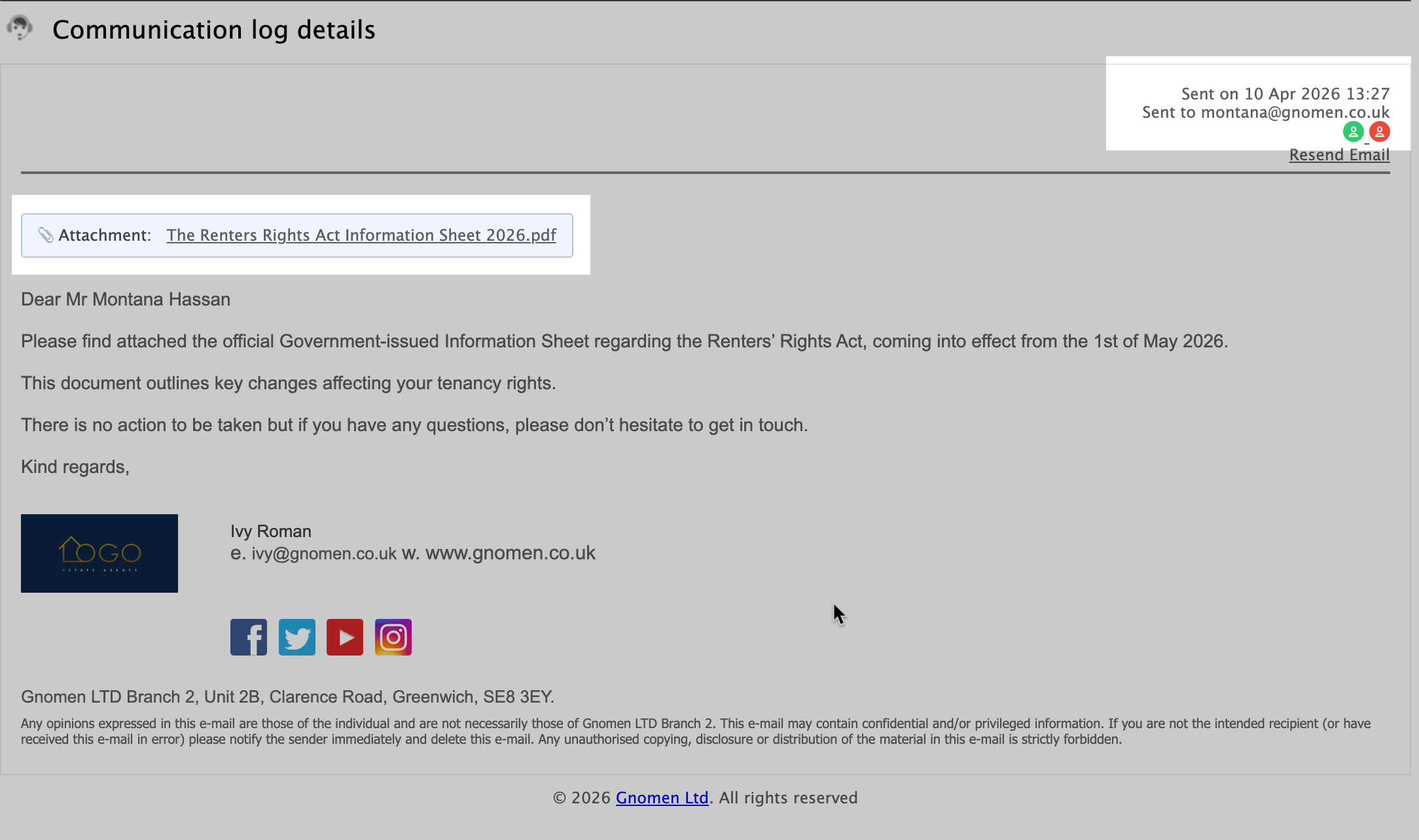
Once sent, every email is automatically logged in the tenant’s / letting’s Communications log tab. You’ll see:
- Date and time sent
- Recipient email address
- Full email content
- The attached PDF (clickable for review)
This gives you a clear, audit-ready record of compliance.
Compliance warning for offers above the marketed price
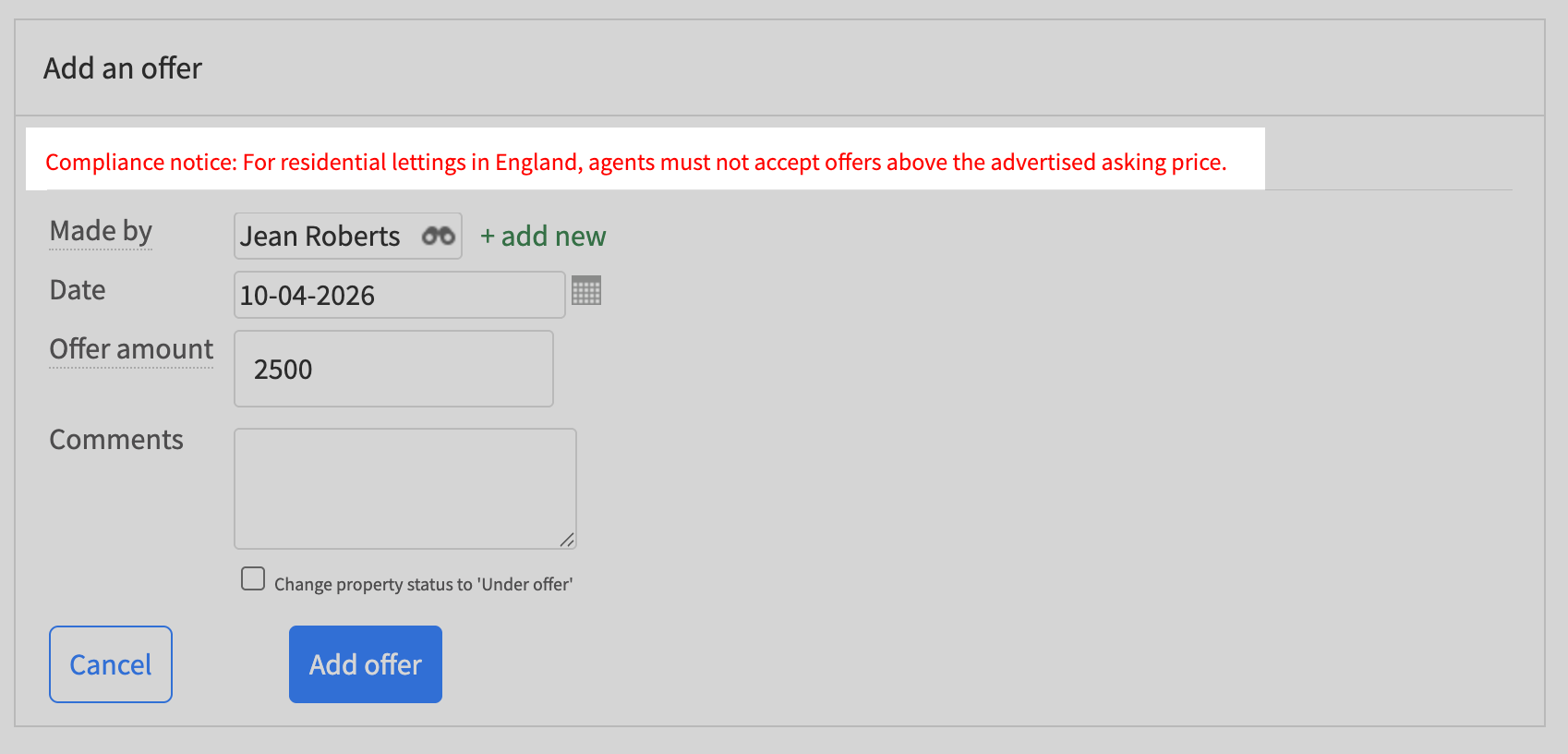
The Renters' Rights Act prohibits agents from accepting offers above the advertised asking price on residential lettings in England. To help you stay compliant, Gnomen PMS now displays a static warning message whenever you access the Offers section – whether from a property record or an applicant profile.
This reminder appears before you even enter an offer amount, keeping the rule front of mind at the point of decision.
Tenancy term now defaults to Periodic
The Renters' Rights Act has abolished fixed-term tenancies for new residential lettings in England. Instead, all tenancies now begin as periodic (rolling) tenancies from day one.
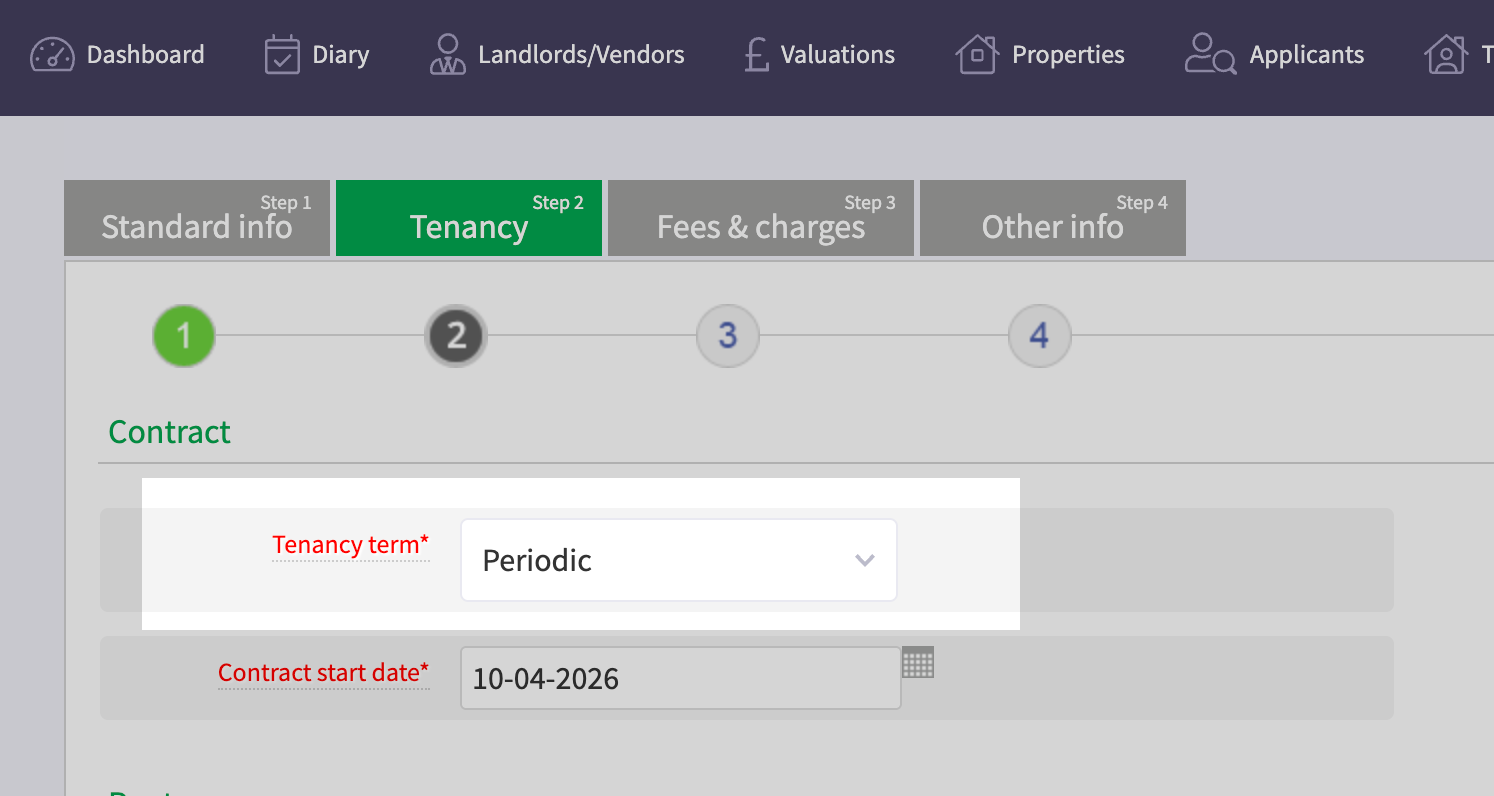
To reflect this change, Gnomen PMS has updated the Create a new tenancy flow. The Tenancy term field now defaults to Periodic, while still offering the option to select Fixed-term for any permitted exceptions (e.g., student accommodation or where the landlord has a valid reason).
When you click Create a new tenancy, the dropdown automatically shows Periodic. You only need to enter a Contract start date – there is no fixed length to add, as the system treats this as a statutory periodic tenancy where rent continues on a rolling monthly basis. If you need a fixed-term (where still legally permitted), simply change the dropdown.
New and updated templates available in the Master Library
With the Renters' Rights Act now in force, we've added and updated several key templates in the Master Library to help you stay compliant.
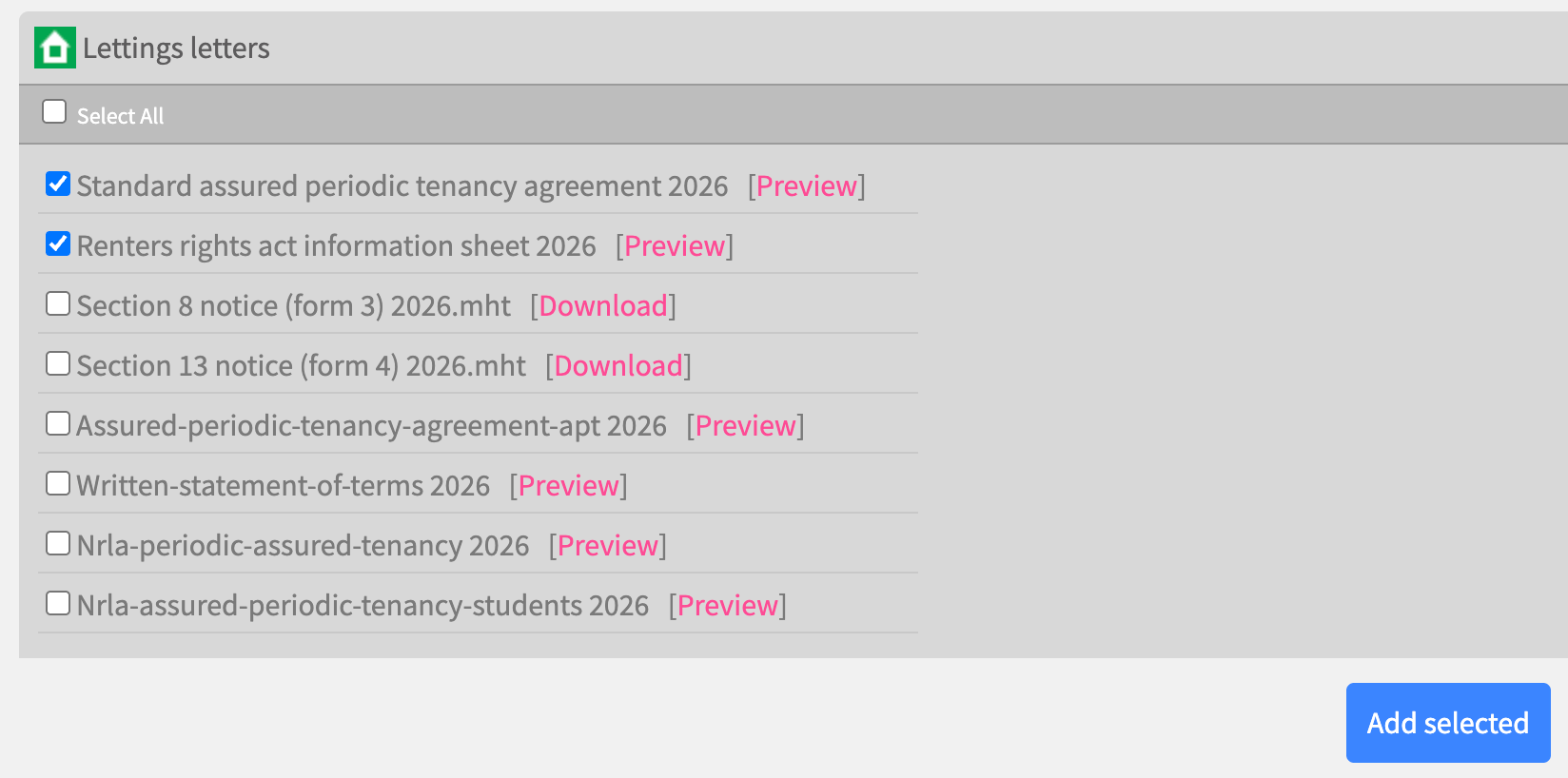
What's available for you to add to your library
Periodic tenancy agreements (new)
- Gnomen standard periodic tenancy agreement
- Written Statement of Terms
- Propertymark periodic tenancy agreement (for members)
- NRLA periodic tenancy agreement (for members)
Updated notices (Section 21 is abolished)
- Section 8 notice (possession claims based on tenant fault)
- Section 13 notice (rent increases within a periodic tenancy)
For Propertymark and NRLA members: The membership templates will only appear if your agency's configuration shows you as a member. If you're a member but don't see them, call our support team to update your settings.
Disclaimer: You are advised to take legal advice from a lawyer before proceeding to use the agreements or any legal documents provided. Gnomen is not responsible for the information provided in these documents. Please refer to our Terms for more information.
If you'd like more information or would prefer to go through these changes in depth with one of our team, please get in touch – we're happy to help.